Invited to the Inbox
Looking beyond the drip campaign to tap into more powerful email automation capabilities.

by Jeff Fralin, Interactive Art Director

by Ken Oliver, Interactive Art Director
Historically, email marketing has been pretty straightforward. Craft an email, decide who it’s going to, and hit send. It works, it’s simple. But there are much, much more powerful marketing automation tools available today that allow you to do more up-front planning and then let the system take over (that’s where the “automation” comes in).
In fact, today’s systems can create a veritable “choose your own adventure” email flow where the audience, without even realizing it, is deciding what emails they receive. Let’s take a look at how it all works.
It’s critical to provide more relevant and valuable messaging to your audience.
Exploring what marketing automation can do
Two key concepts you’ll need to understand to make the most of modern email automation platforms are the trigger and the workflow. A trigger is, as you might expect, an action taken by someone—the audience or your marketing staff. A trigger initiates a sequence of events known as a workflow.
Think of a workflow as a roadway where periodically, the audience receives pre-planned emails. If a new trigger is activated, it’s like an off-ramp to a new roadway, with its own series of pre-planned emails.
The important thing here is that often, only one workflow (one roadway) is active and sending emails to a prospect at a time. You can have multiple workflows active and sending simultaneously, but if you do, you have to take care not to overload the audience, causing fatigue (at best) and irritation that make them have negative feelings toward your brand.
Exploring the trigger
So what can be a trigger? Depending on your specific automation platform, just about anything. A trigger can be a form fill. Or it can be a drop-down selection on the form itself (such as noting an interest in independent living, assisted living, or memory care). Triggers can also differ between new leads (with no history) and known leads visiting your website.
CRM integration is a powerful way to add even more intelligence to your automation.
You could trigger a new workflow based on a page your lead visited on your website. And if your automation platform integrates well with your CRM, you can trigger workflows based on data or changes to data in the CRM. For example, recording that the lead attended an event can trigger a workflow. Or entering a specific area of interest (like baseball) could be a trigger. Really, just about anything can trigger a change. While CRM-to-automation integration isn’t always available or robust enough to offer this, when available, it’s a fantastic way to make your automation more relevant to the user.
Workflow 101: classic drip campaign
The simplest email automation flow is a classic drip campaign. Craft 5-10 emails, decide their sequencing, and schedule them to go out to new prospects as they become leads. The trigger in this case is lead creation in the database. This setup works fine, but with all users getting the exact same email series, there’s no ability to craft more targeted messaging based on what the prospect is doing or what we know about them.
Let’s explore ways we can better target prospects with information crafted just for them.
Differentiate by level of care
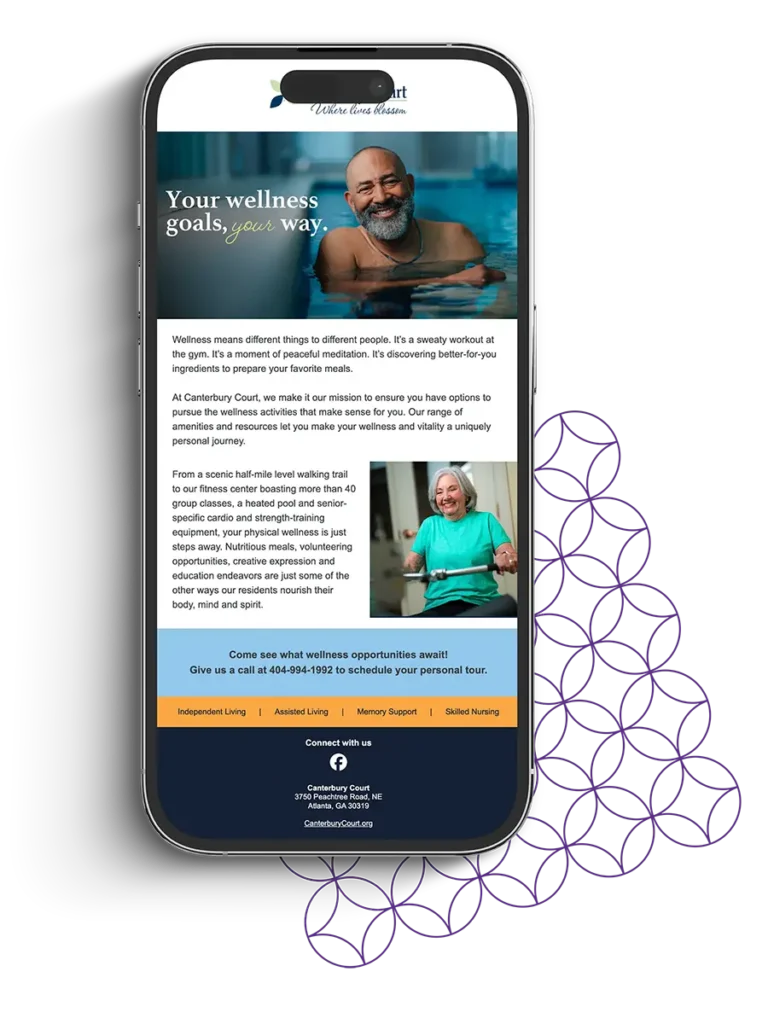
As noted above, you can create separate email flows based on level of care available at your community: independent living, assisted living, memory care, etc. If your form allows users to select their area of interest, this is a great first step into a multi-workflow setup.
Differentiate by prospect stage
Now we’re talking. We all know that early-stage prospects have different needs, different concerns, and a different level of knowledge (typically) than mid- or late-stage prospects do. So why send the same series of emails to everyone?
To differentiate your audience by stage, you can either trigger workflows based on user stage data in your CRM (if this is available) or you can move users from one workflow to another based on activity. Even if CRM integration isn’t available, you could move a user from the early stage flow to the middle stage flow if they complete an event registration form, for example (if you see event attendance as a sign of a middle-stage user). A tour can trigger a shift to the late-stage workflow. You know your audiences and your content best—align what your users are receiving with where they actually are in the decision funnel.
Customize content by area of interest
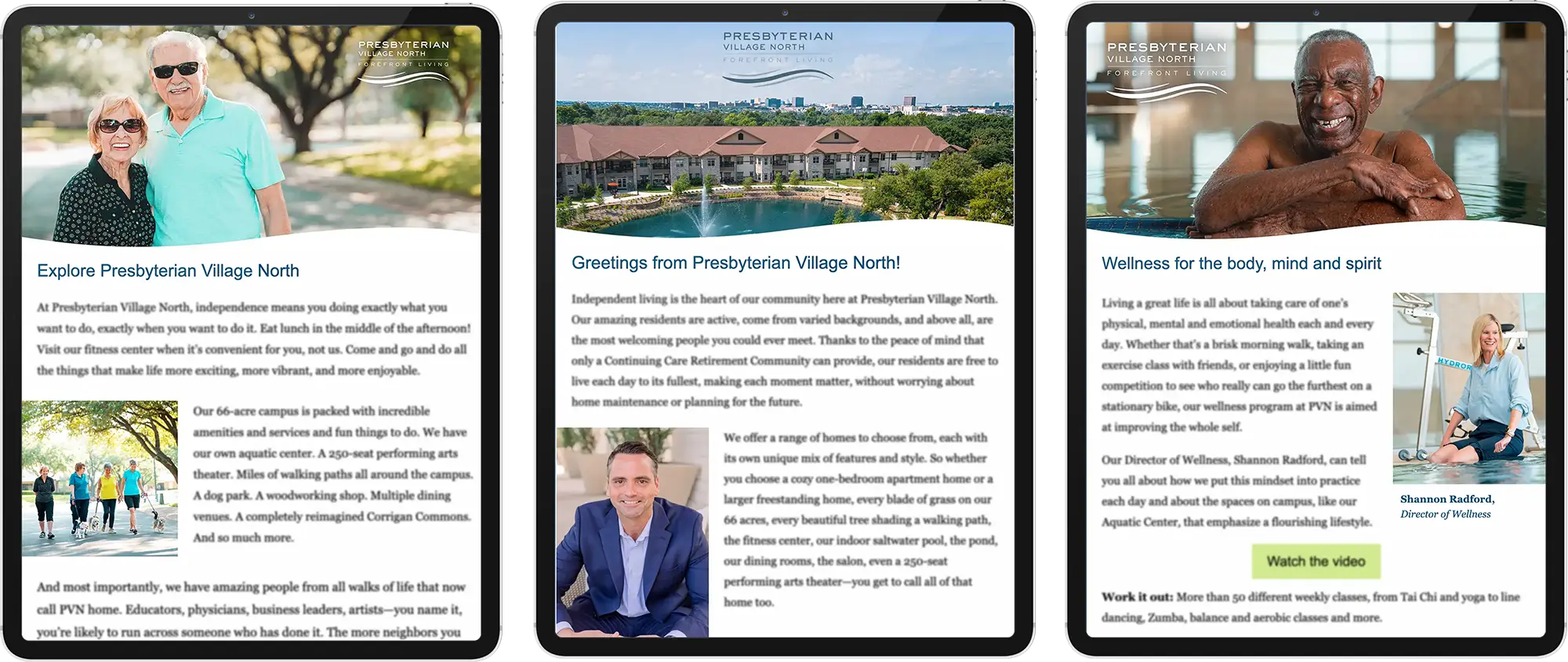
As noted previously, you can create workflows based on area of interest. In this case, we’re talking about lifestyle interests—sports, pets, art, etc. If a known user visits your wellness page, you send a single email about your fitness programs (yes, an email flow can be as short as one email). We advise being careful with this—and we deeply advise never saying “We saw you were looking at our wellness page….” That can be seen as creepy and invasive. Just wait a day or so after the trigger (visiting the page) to send the email.
You could have a short workflow on the financial aspects of your community (contract and refund options, value pitch of Life Care, etc.). You could have a series on resident groups that are popular. If someone visits your news & updates section, you could deliver those via email periodically. The options are endless.
The big point: be more relevant to your audience
Maybe one day we’ll be able (using AI?) to effectively craft individualized emails specifically written to address the needs, interests, and questions of a specific lead. But until then, take advantage of what your automation platform can do—it’s a powerful tool that will help you communicate in a much more relevant and effective way based on what you know about your leads. Explore having a series of workflows designed around your lead base. Find the triggers that make sense to switch someone from one workflow to another. In the long run, your audiences will reward you for providing more useful, more relevant, and more valuable information to them compared to your competition stuck in the one-size-fits-all approach that is just sending the same old emails to everyone in the database.


About Anstey Hodge
Founded in 2003 in Roanoke, Virginia, Anstey Hodge is a full-service marketing agency specializing in senior living. Our team is made up of marketing experts with deep experience in strategic marketing planning, brand development, digital advertising, SEO/AIO, creative campaigns, website development & interactive tools, and more. Anstey Hodge is a certified Google partner agency.
This article is just one in a series of articles sharing some of our lessons learned over the past 20+ years as leaders in the industry.